
How to log in to the Smart Pay Dashboard
Edited
Go to bfh.bank
Click on "Login"

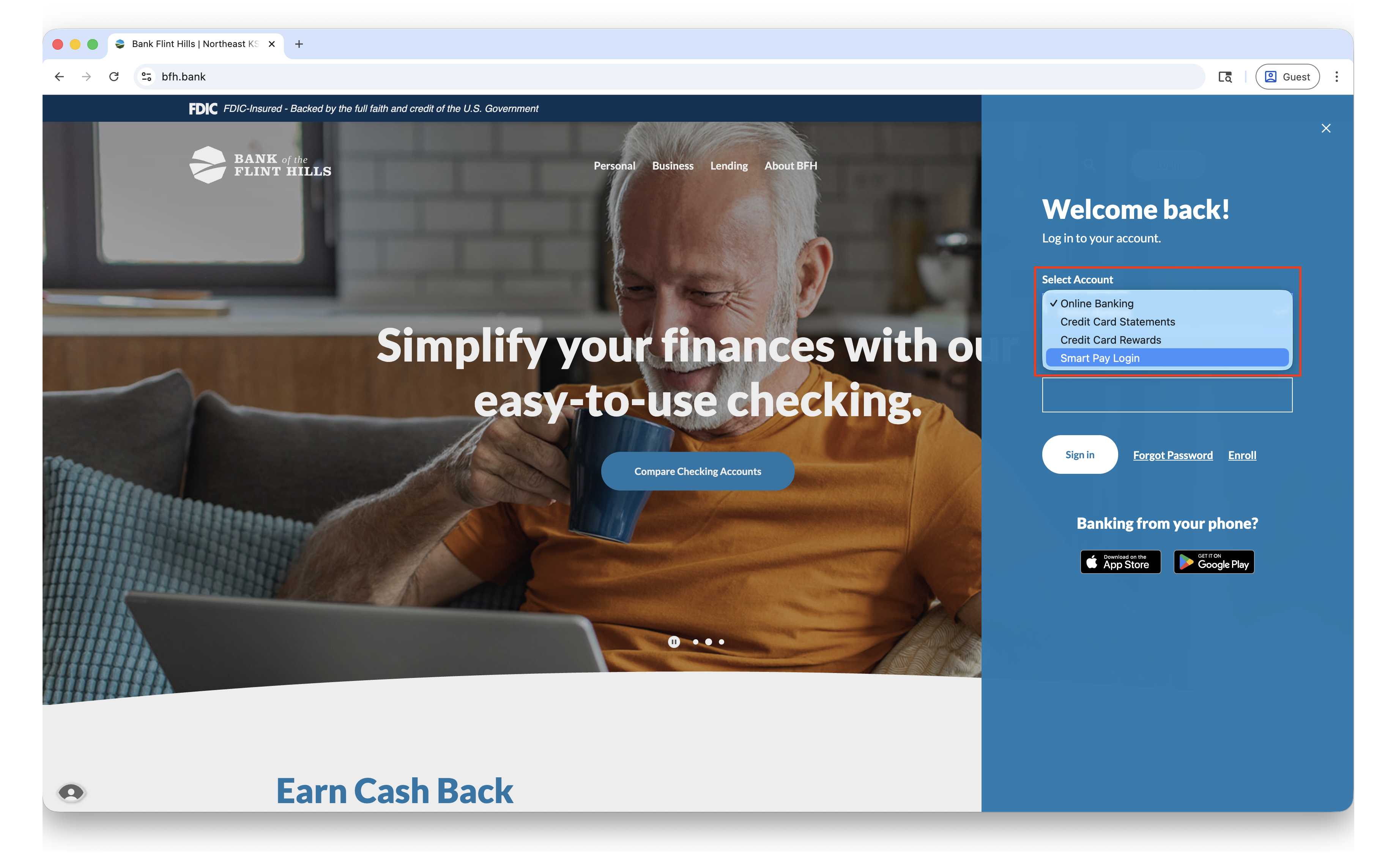
Use the 'Select Account' drop-down to select "Smart Pay Login"
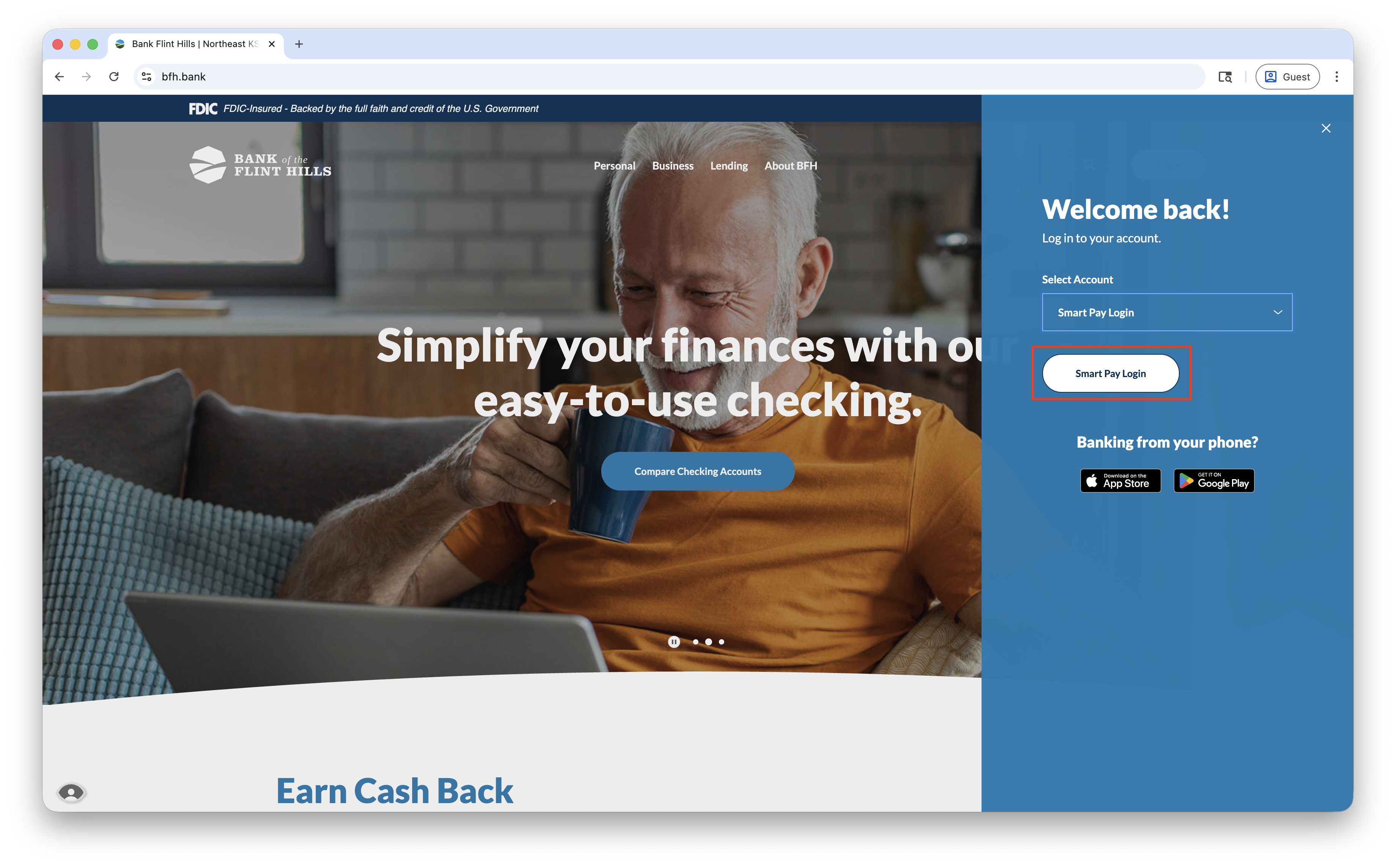
Click the white "Smart Pay Button" that appears below. This will take you to the SmartPay website login page.
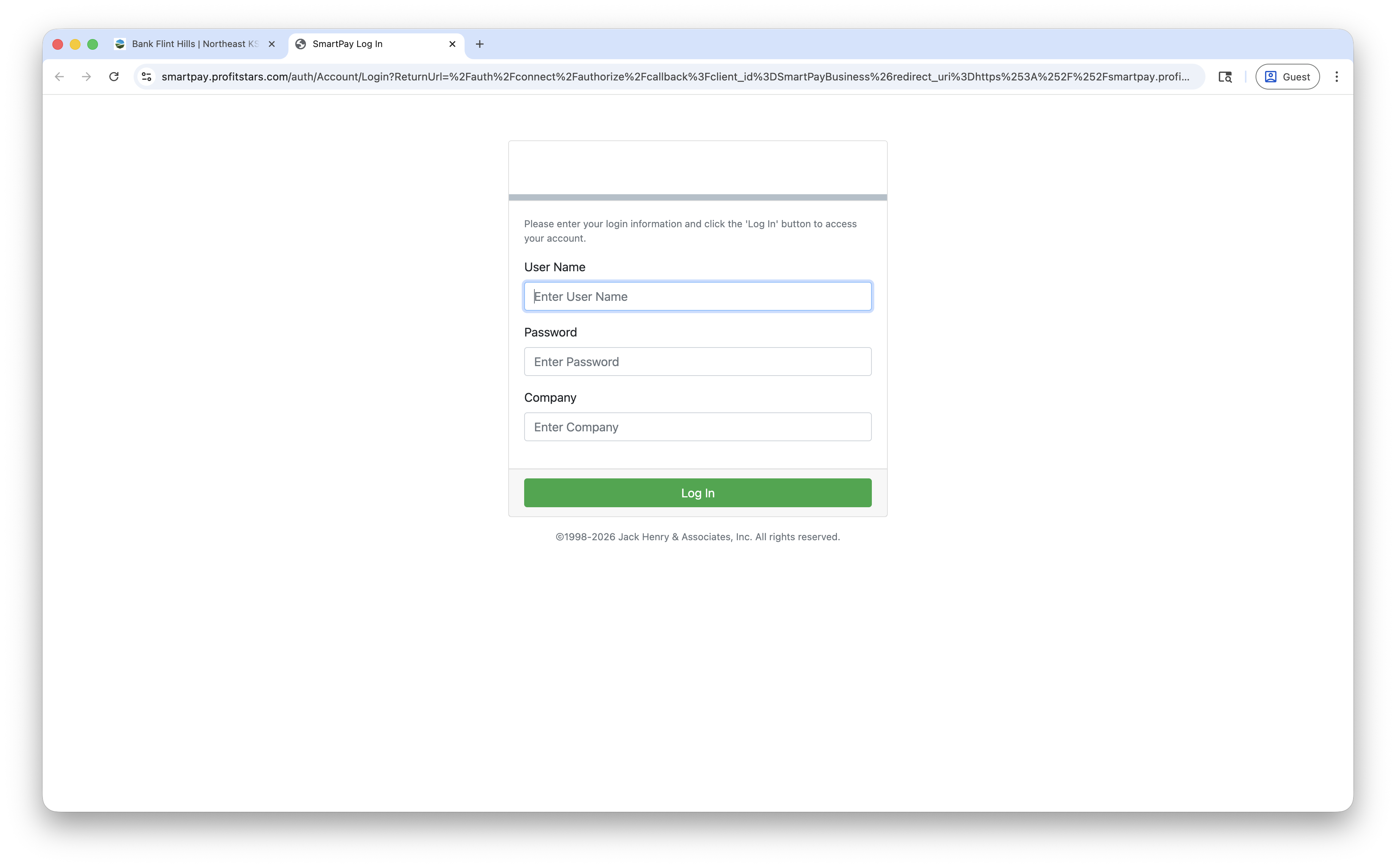
Enter your username and password for the Smart Pay system
Note: These are different than your online banking username and password. The company ID will be provided to you when your account access is established. If you do not know the company id, please reach out to our Business Support Team for assistance.
Remote Deposit
SmartPay
Was this article helpful?
Sorry about that! Care to tell us more?