
How to complete MICR repair
Edited
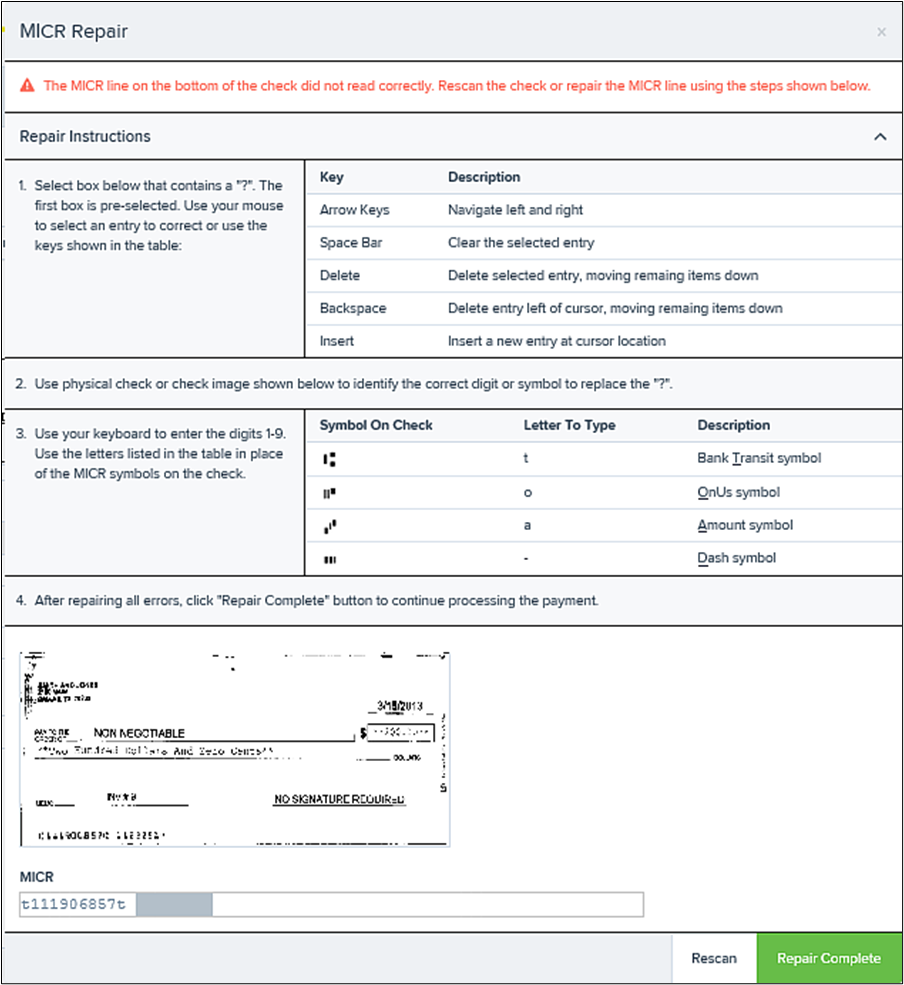
1. If the check could not be read properly, a MICR Repair prompt appears. Select Expand next to Repair Instructions for more help on how to repair a MICR.
a. Use the window provided to repair the MICR line. A key is provided to enter up to 85 characters from the MICR into the repair field. When finished, select Repair Complete, OR,
b. You may select to close the prompt and rescan the check by selecting Repair Complete, placing the check back into the scanner, and then selecting Rescan on the Check Processing page.
Was this article helpful?
Sorry about that! Care to tell us more?