
How to access Documents in online banking
Edited
There are 3 main ways to access eDocuments inside of Online Banking.
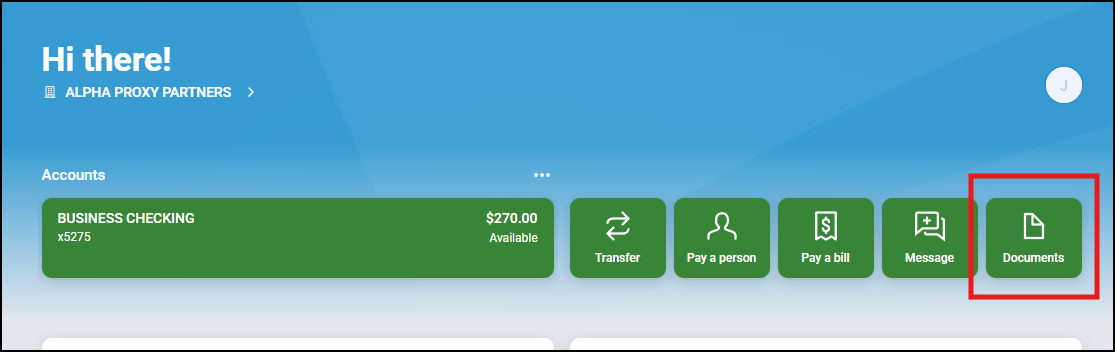
1. Access documents via the Documents quick action on the dashboard, which takes you to eStatements and/or tax documents for all accounts you have enrolled in.
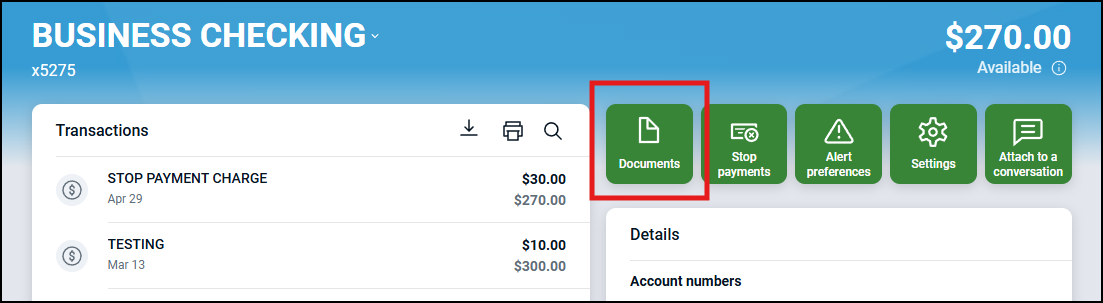
2. Use the Documents button within an individual account:
Select an account > Click Documents
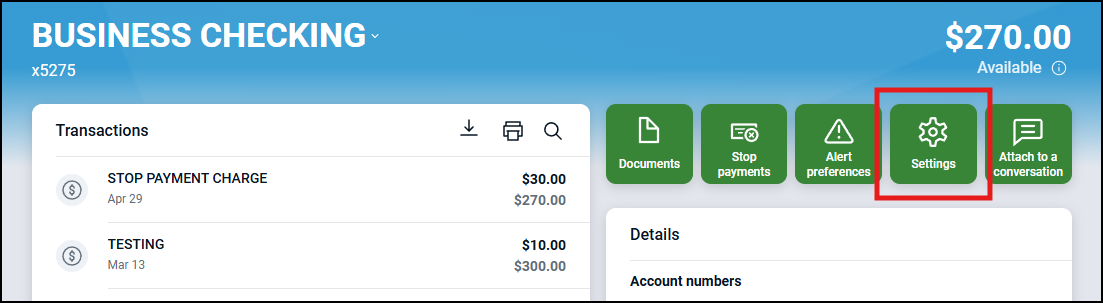
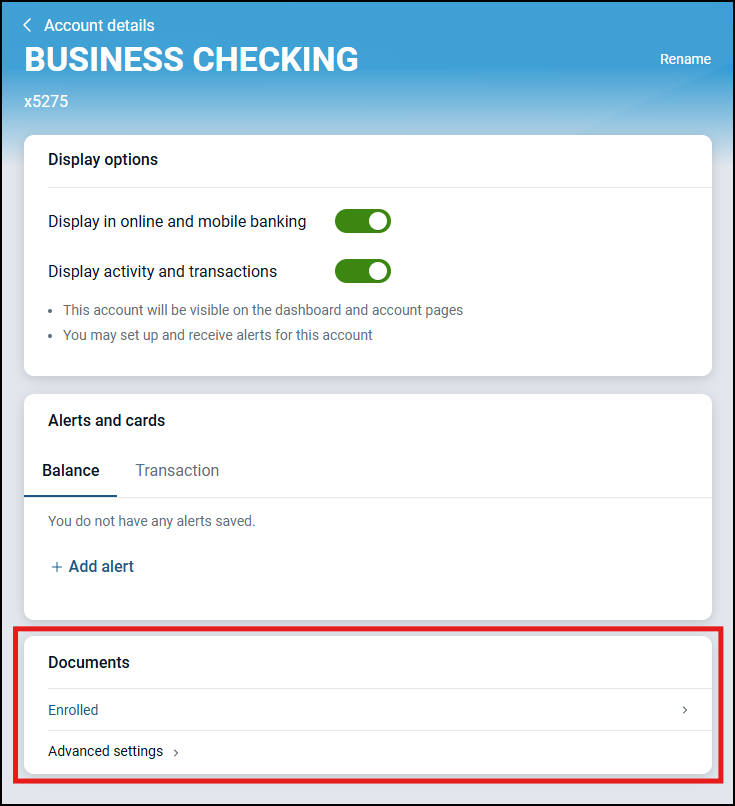
3. Access Documents through the account Settings:
Select an account > Click Settings > Click Documents
Was this article helpful?
Sorry about that! Care to tell us more?