
Understanding ACH for Business
ACH for Business allows you to create, manage, and send group payments—known as ACH batches—through your Business Online and Mobile Banking. Whether you're paying employees, collecting rent, or sending vendor payments, the ACH feature simplifies your money movement with customizable batch options and scheduling flexibility.
This article introduces you to the ACH feature within Business Online Banking, how to access it, and the core actions you can take once you're in the ACH menu.
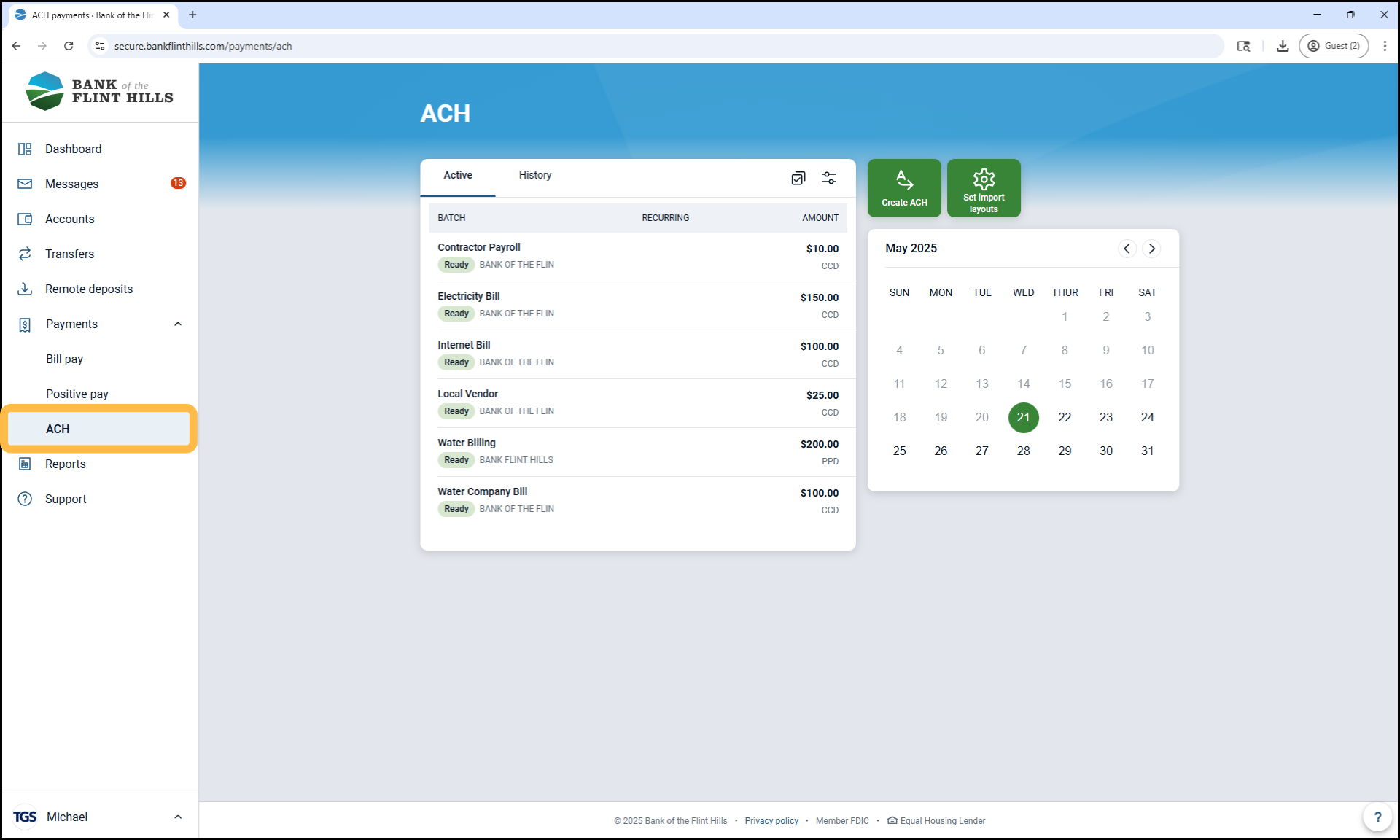
What You Can Do in the ACH Menu
Using ACH in Business Online and Mobile Banking, you can:
Create and edit ACH batches, including using prenotes for account verification
Review and initiate batches when you're ready to send payments
View and download your ACH transaction history
Where to Find the ACH Menu
The location of the ACH feature depends on which payment services are enabled for your company.
If ACH is your only enabled payment tool:
You'll see 'ACH' listed directly in the main navigation menu.
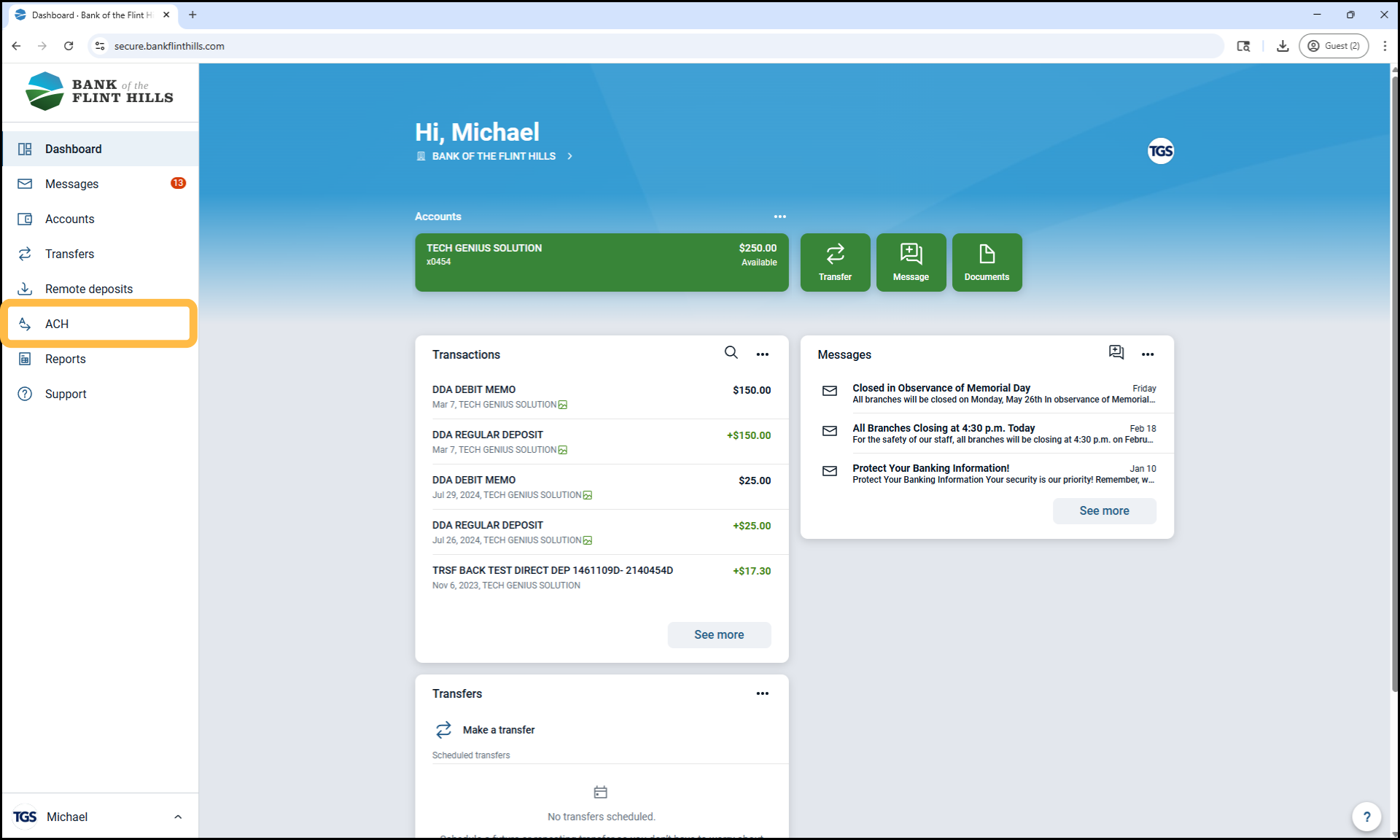
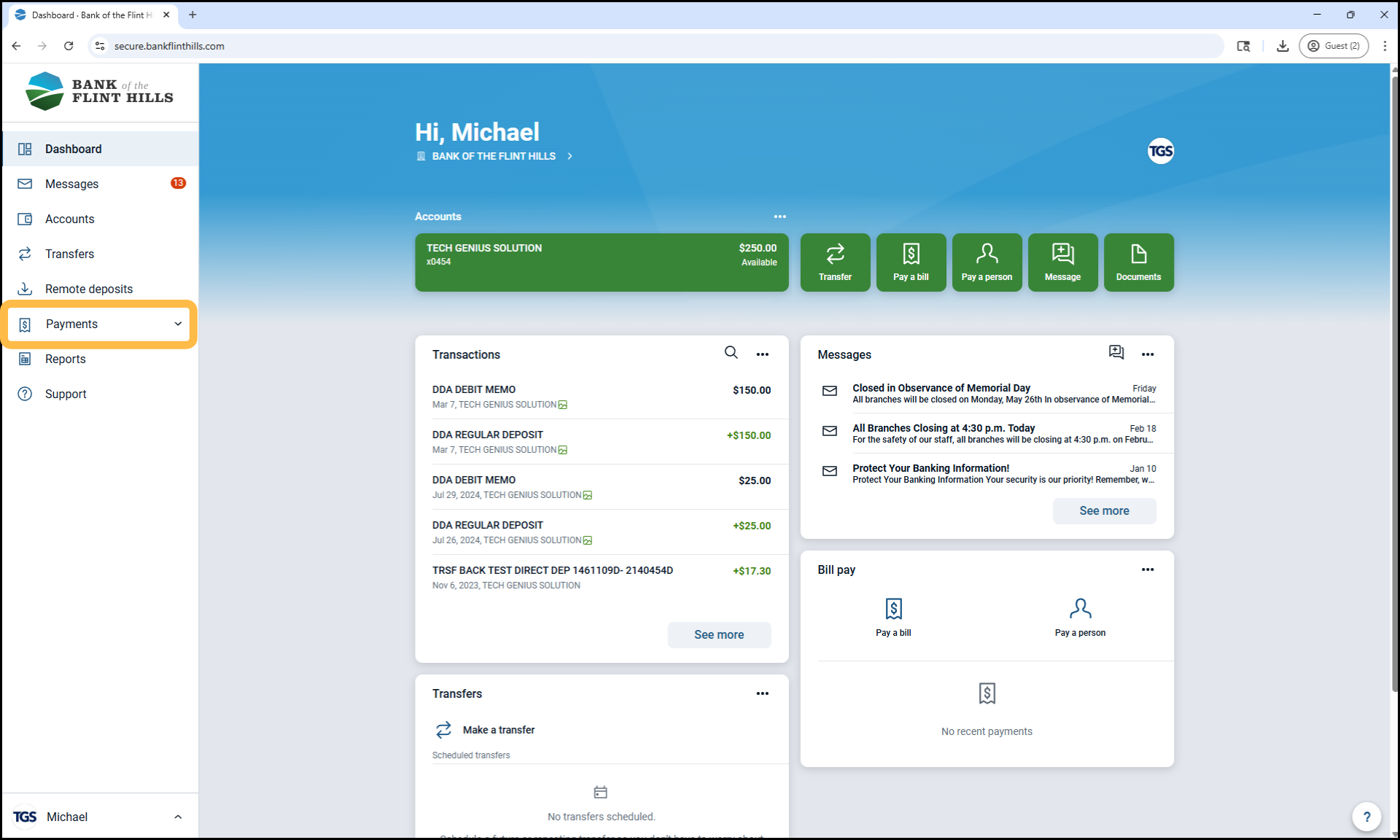
If you have multiple payment tools enabled (such as Positive Pay, Bill Pay or or Wires):
The 'ACH' option will appear under the 'Payments' drop-down menu.
Next Steps
Ready to dive deeper into ACH? Explore the articles below to learn more about how ACH works, how to get started, and how to create and manage your first batch:
What is ACH? – Learn the basics of ACH and how it enables secure, electronic fund transfers.
Understanding ACH Batches – Discover what an ACH batch is and how it’s used in business banking.
How to Create Your First ACH Batch – A step-by-step guide to setting up and saving your first batch in Business Online Banking.