
Adding to a Deposit
Edited
If you need to add more checks to a deposit that has already been started but not yet submitted, you can reopen the deposit and scan additional items.
Steps to Add Checks
Log in to the system and select Transactions from the left menu.
Under Check Processing, select Remote Deposit Complete.
The Open Deposits page will appear. In the Open column, select the open icon next to the deposit you want to continue working on.
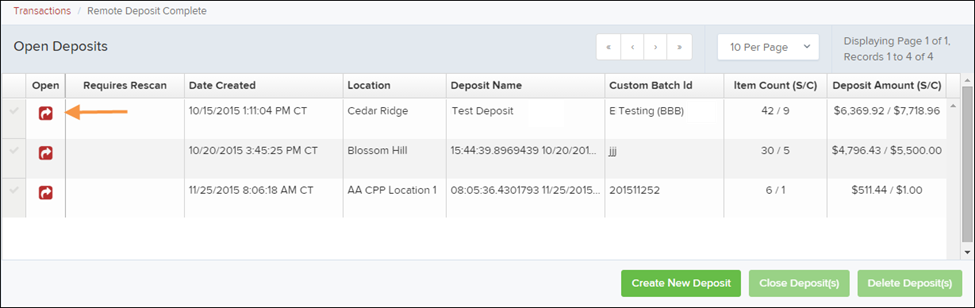
The deposit will open. Place the additional check(s) into your scanner. The checks will scan and be added to the deposit automatically, and the deposit total will update to include the new checks.
NOTE: If the amount of the newly scanned checks does not appear right away, select the Refresh option at the top of the page to update the values.
Was this article helpful?
Sorry about that! Care to tell us more?