
Deleting a Deposit
Edited
If a deposit was created by mistake or is no longer needed, it can be deleted. A deposit can be deleted after scanning is completed or at any time before it is submitted for processing.
Steps to Delete a Deposit
From the Open Deposits page, select the checkbox next to the deposit(s) you want to delete.
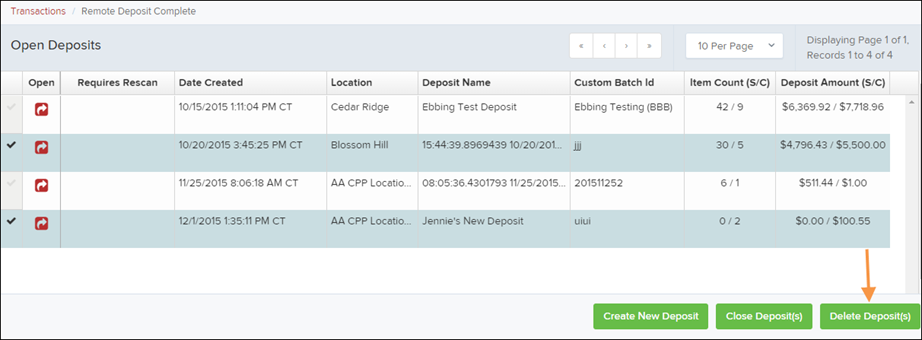
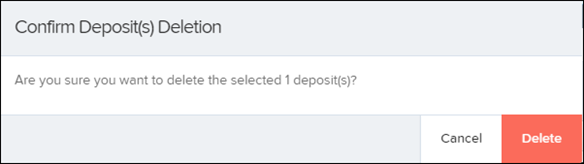
Select Delete Deposit(s) at the bottom of the page. The system will ask you to confirm that you want to delete the deposit.
Select Delete to confirm.
A confirmation message will appear indicating that the deposit has been deleted. Select OK to return to the Open Deposits page
Was this article helpful?
Sorry about that! Care to tell us more?