
Editing Approved Transaction Amounts
If a transaction has already been submitted but is still in Approved status, you may be able to edit the transaction amount before it is processed.
Follow the steps below to edit the amount of an approved transaction.
Steps to Edit a Transaction
Log in to the system and go to the Current Transaction Summary on the Dashboard.
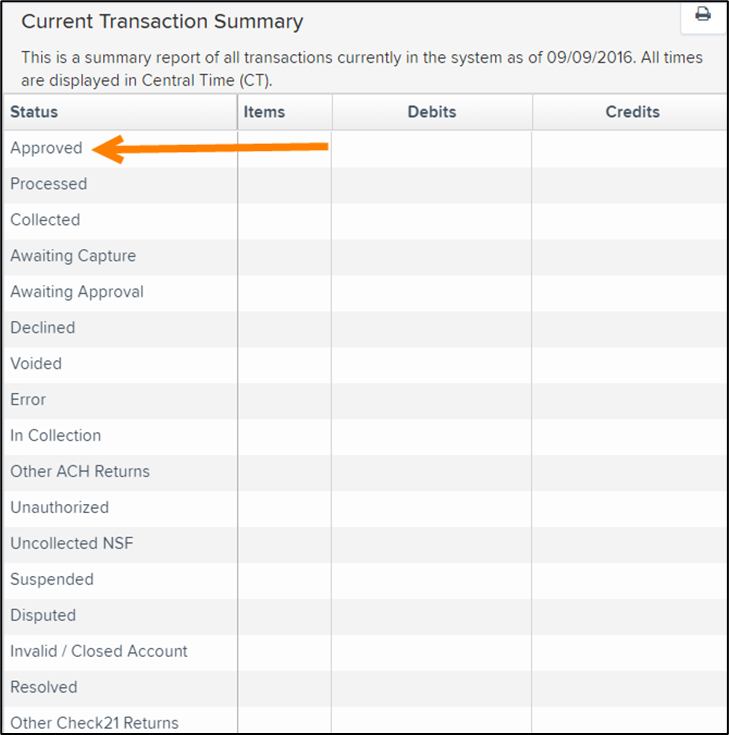
Select a status that appears as a link and contains values.
For example, select Approved to view all transactions that are currently approved but not yet processed.
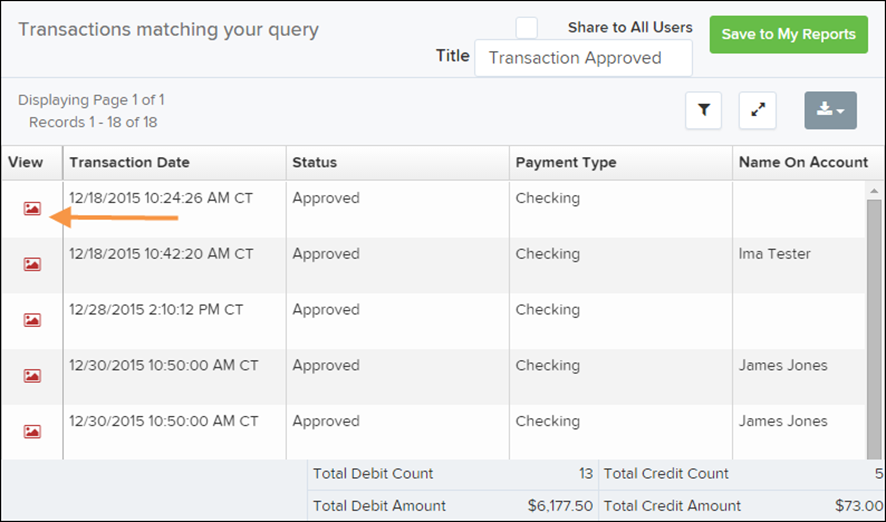
A report will appear showing all transactions with Approved status. In the Status column, you will see the word Approved for each transaction.
Find the transaction you want to edit and select View next to it.
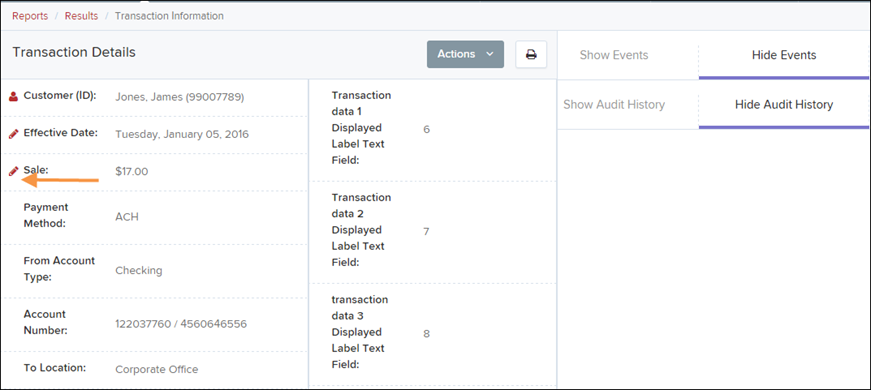
The Transaction Details page will open. Locate the Sale amount and select Edit next to the value.
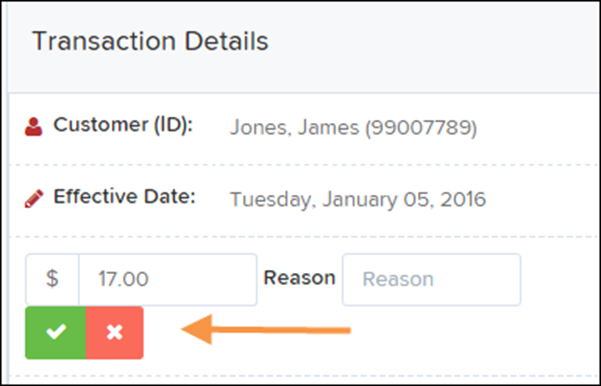
The Sale amount field will now become editable. Enter the correct amount and provide a reason for the change.
After entering the updated information, select Save to apply the changes.
NOTE: Transaction amounts can only be edited while the transaction is in Approved status. Once the transaction moves to Processed status, the amount can no longer be changed.