
Voiding Transactions
Edited
As a user working with Remote Deposit Complete, you may need to void a transaction that has been made. This can only be done when a deposit has been made and is in the Approved status, displayed on the Current Transaction Summary page once you have logged in. Recall that an approved transaction will be moved to the Processed status at the end of the closing day for your financial institution.
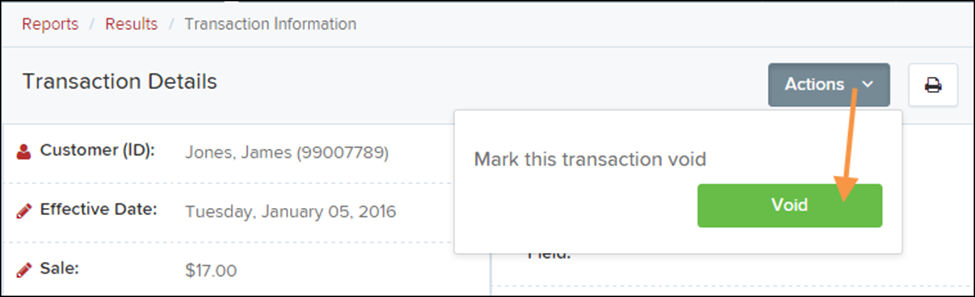
1. From the Transaction Details page, select Actions | Void.
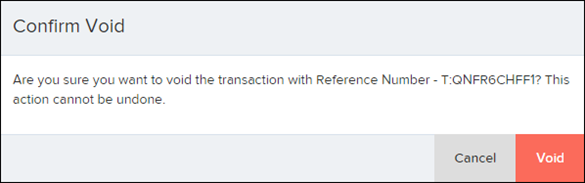
2. The system will ask you to confirm voiding the transaction. Select Void. The transaction will be voided and appear with a Voided status on the Current Transaction Summary page until it is resolved.
Was this article helpful?
Sorry about that! Care to tell us more?