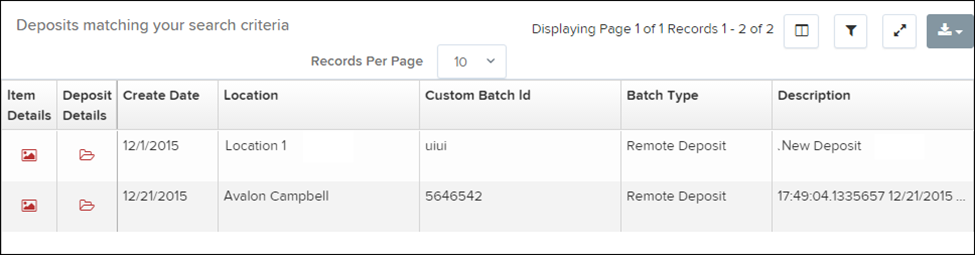
Deposit Results Report
The Deposit Results Report allows you to view deposits created using Remote Deposit Complete over a selected period of time. This report can be used to:
Monitor the status of current-day deposits
Review checks included in a deposit
View deposits from previous days
NOTE: The Deposit Results Report shows data from the past two years. Deposits older than two years can be found in the Reports dashboard under Download Reports.
NOTE: Deposits created in Remote Deposit Complete may appear as a single deposit batch or as part of a multi-batch deposit.
Generating the Deposit Results Report
Log in to the system and select Reports from the left menu.
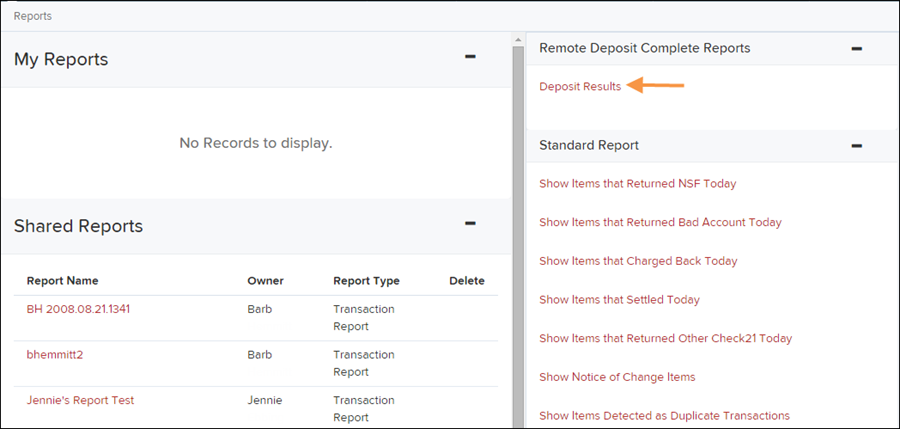
Under Remote Deposit Complete Reports, select Deposit Results.
Choose the Location (account) you want to run the report for.
Select a Quick Pick date range or enter a Start Date and End Date to define the time period for the report.
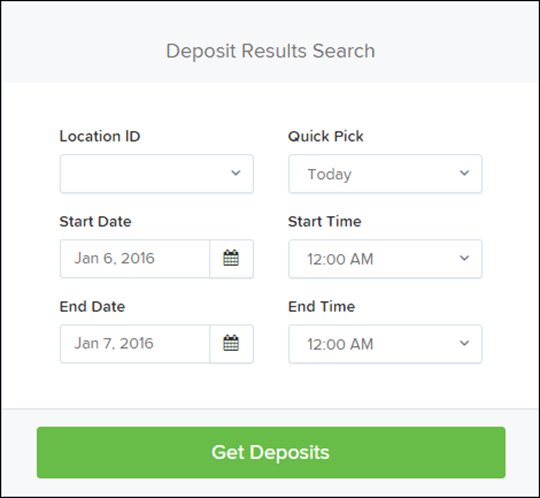
Select Get Deposits.
A list of deposit batches matching the selected criteria will appear.
Fields in the Deposit Results Report
The report includes the following fields to help you review deposit activity.
Field | Description |
|---|---|
ACH Deposit Amount | Total dollar amount of ACH items included in the deposit. |
ACH Deposit Count | Number of ACH items included in the deposit. |
ACH Deposit Date | The deposit date for the ACH items in the deposit. |
C21 Deposit Amount | Total amount of Check 21 (Image Replacement Document) items included in the deposit. |
C21 Deposit Count | Number of Check 21 items included in the deposit. |
C21 Deposit Date | The deposit date for the Check 21 items. |
Create Date | The date the deposit batch was originally created or scanned. |
Custom Batch ID | A unique label for the deposit if your system uses custom batch IDs. |
Deposit Details | A link that shows the processing steps the deposit has gone through and the user who processed it. |
Deposit Slip ID # | If enabled, this field displays the deposit slip ID associated with the deposit. |
Deposit Status | The current status of the deposit when the report is generated. |
Description | The deposit name, which typically includes the date, time, and system-generated batch ID. |
Item Details | A link that shows the individual checks included in the deposit and their statuses. |
Location | The account (location) where the deposit was credited. |
Received Amount | The total amount of the deposit after processing and review. |
Received Count | The number of items included in the deposit after processing. |
Total Deposit Amount | The total amount of the deposit. |
Total Deposit Count | The total number of checks included in the deposit. |
Your Amount | The deposit amount originally entered when the deposit was created. |
Your Count | The number of items originally entered when the deposit was created. |